
How to Distribute Unique Codes Using the Redeem Link
The Redeem Link lets you give each recipient a personal link to a unique, single-use voucher.
You can add the Redeem Link to an email campaign or generate personal links with Manual Delivery and send them yourself through WhatsApp, Instagram, SMS, chat, email, or another channel.
When a recipient opens their link, Coupon Carrier assigns a unique code and displays it on a customizable voucher page.
How the Redeem Link Works
- You upload or generate a list of unique codes
- You choose how to deliver the Redeem Link
- Coupon Carrier creates a personal link for each recipient
- The recipient opens the link
- Coupon Carrier assigns and displays their voucher
- The voucher is verified and marked as used during redemption
If the recipient opens the same link again, they will see the same voucher.
When Should You Use the Redeem Link?
The Redeem Link is useful when:
- You want to send personal vouchers by email, SMS, WhatsApp, social media, or chat
- You want to prevent a voucher from being redeemed more than once
- Staff needs a simple way to verify redemption
- You do not want customers typing voucher codes manually
For in-person campaigns, Redeem Links are often used as trackable digital vouchers for restaurants and retail because each recipient gets a unique page that can be verified at the point of redemption.
How to Set Up a Redeem Link
Step 1: Create a Redeem Link Configuration
Go to Configurations in your dashboard and click Create a new configuration.

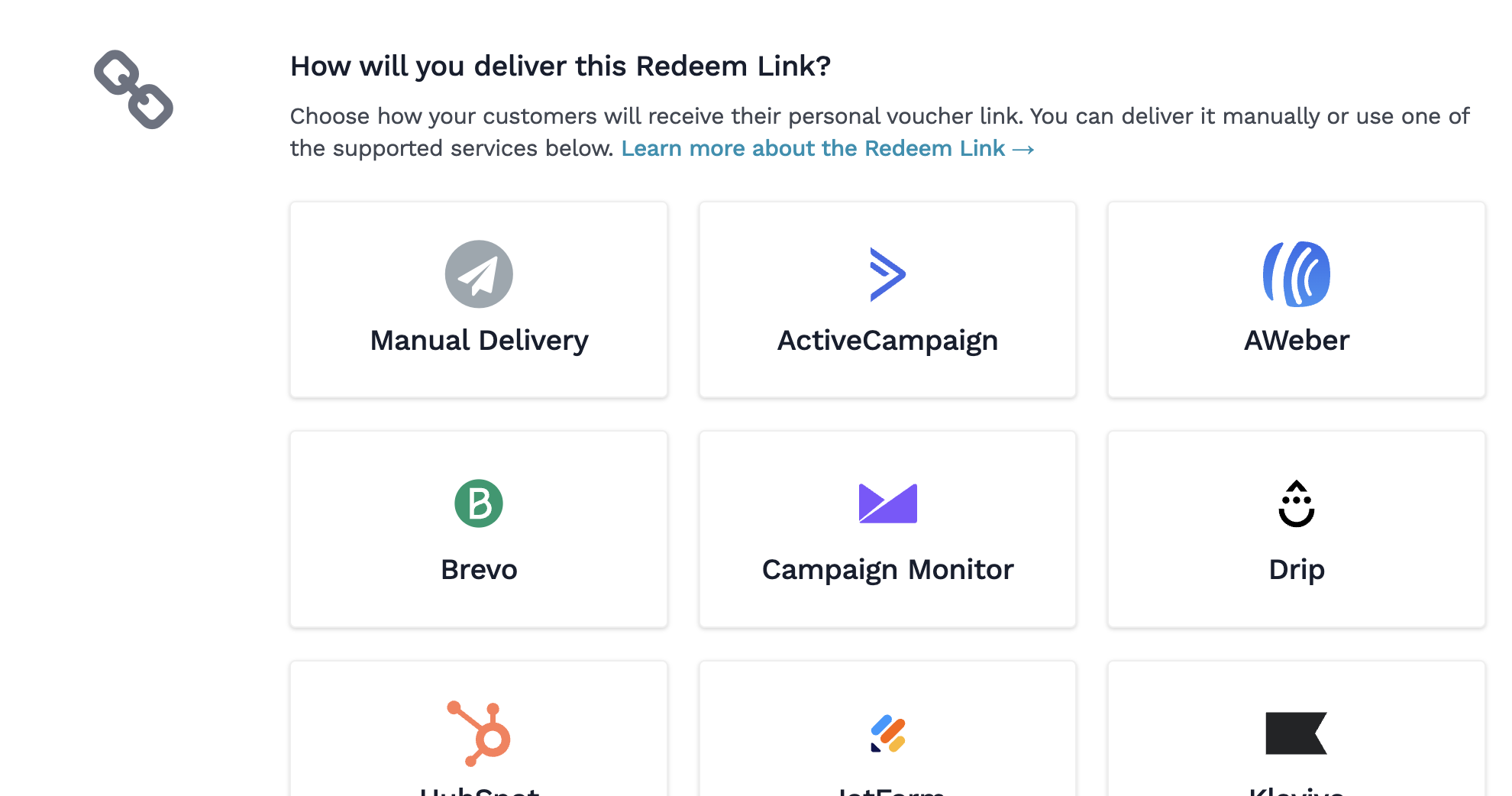
Step 2: Choose how you will deliver the link
Select how your customers will receive their personal voucher links.
Choose Manual Delivery if you want to generate the links in Coupon Carrier and send them yourself. Learn how to send Redeem Links manually.
You can also connect a supported service such as Mailchimp, ActiveCampaign, Klaviyo, Shopify, or Zapier.
Step 3: Customize the Redemption Page
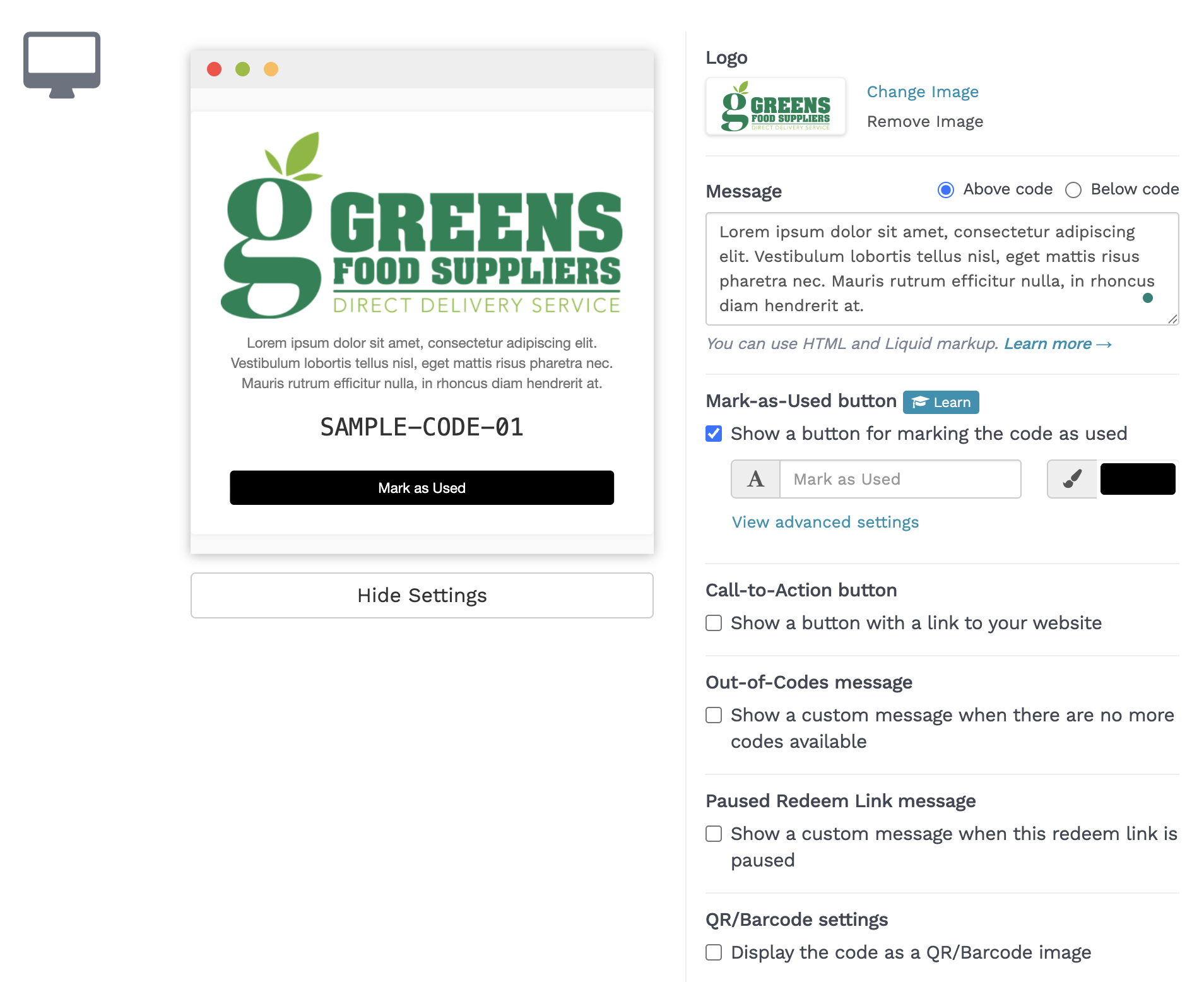
You can customize:
- Logo and message
- Mark-as-Used button
- QR code display
- Call-to-action button
- Out-of-codes message
Step 4: Choose the Code Source
Select where codes should come from:
- Existing Code List
- New Code List
- Automatically generated list
- E-commerce-connected list
Step 5: Activate and Use the Link
Save and activate the configuration.
If you selected Manual Delivery, you can now generate personal voucher links inside the configuration. If you connected another service, add the Redeem Link to the relevant message or automation.
How vouchers are redeemed
Redeem Links support several redemption methods:
- Mark as Used: Staff taps the button on the customer's voucher page.
- QR scanning: Staff scans the QR code using Coupon Carrier's web-based scanner.
- E-commerce redemption: Shopify or WooCommerce can mark the code as used when the customer completes an order.
Learn more about marking codes as used and scanning QR codes.
Tracking & Audit Trail
Every Redeem Link interaction is logged in the Code Timeline, including:
- Code assignment
- Link access
- Redemption method
- Who redeemed the code and when, when available
Learn more about marking codes as used.
Common Questions
Can recipients share the Redeem Link?
Anyone with access to a personal Redeem Link may be able to open it, so send each link only to its intended recipient. The link remains tied to the same voucher and cannot be used to claim additional codes.
Do recipients need an app?
No. Everything works in a browser.
Can I use a custom domain?
Custom domains are available for eligible Agency accounts and currently require manual setup. Contact Coupon Carrier if you want to use one.
Can I test the customer experience before setting this up?
Yes. You can try a single-use test voucher to see how the redemption flow works from the customer's perspective.